
Resetting Your Password
If you need to reset your Hiro password, the process depends on whether you log in with an email and password or through Google Sign-In. Both are covered below.
Resetting Your Password (Email & Password Login)
If you normally log in with an email and password and just need to change your password:
Go to the Hiro login page.
Click Forgot password? below the login form.
Enter the email address associated with your Hiro account.
Check your inbox for a password reset email and follow the link to set a new password.
If you don't receive the reset email within a few minutes, check your spam folder. If it still doesn't arrive, message us in your Slack channel or email help@hiroanalytics.com and we'll help.
I Linked My Google Account — How Do I Switch to a Password Login?
If you originally signed up or linked your account using Google Sign-In, your account may not have a password set — it authenticates through Google instead. To switch back to a standard email and password login (so you can reset your password or log in without Google), follow these steps:
Prerequisite: Someone with Google SSO access to the account needs to perform these steps (the Google login must still work for at least one user on the account).
Log in via Google — sign into Hiro using the Google button as you normally would.
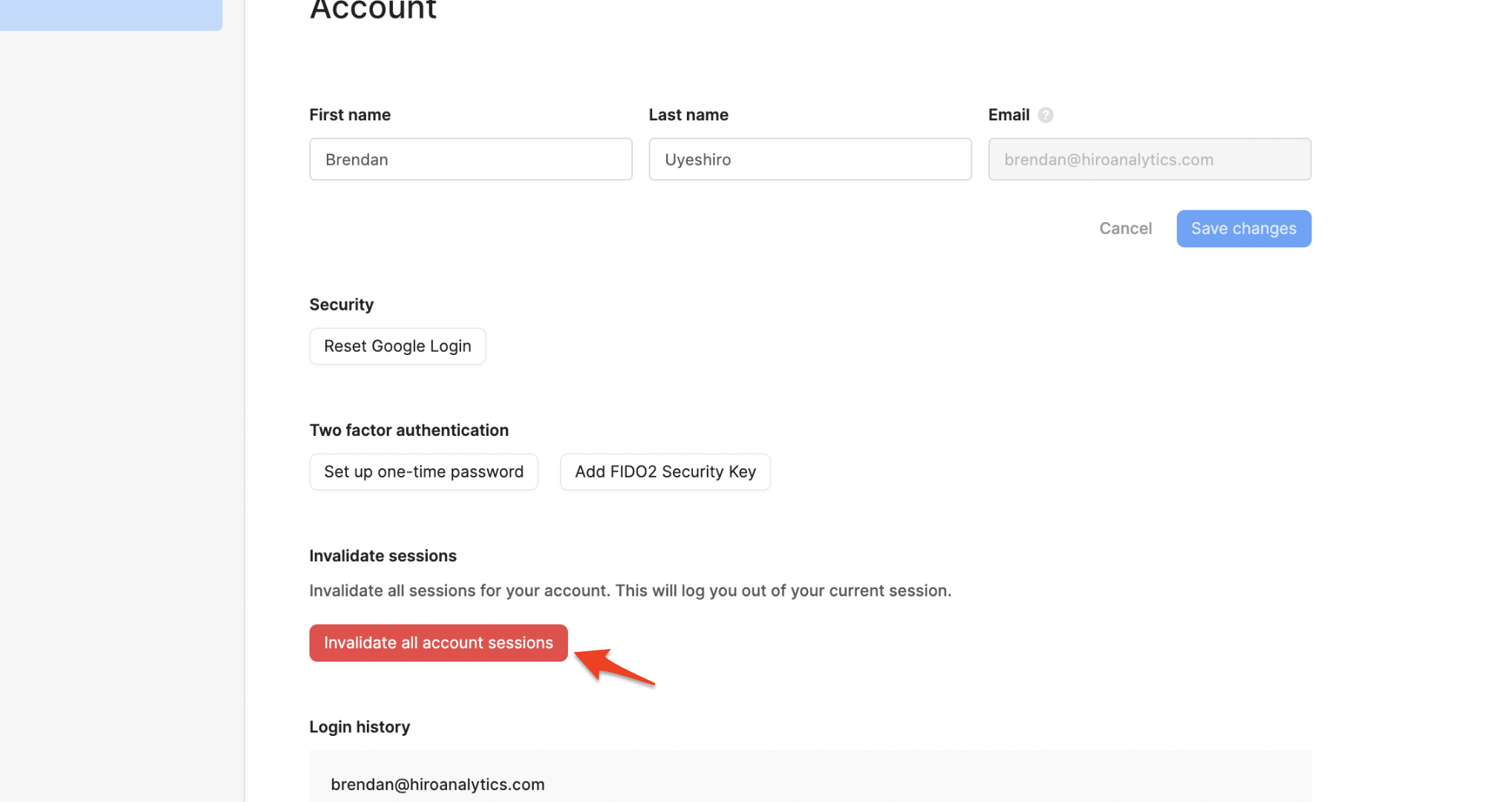
Go to User Settings: https://app.hiroanalytics.com/settings/account
Invalidate all current sessions — find the option to invalidate/sign out of all active sessions and confirm. This will log you out everywhere.
Log out of Hiro: https://app.hiroanalytics.com/logout
Log back in via Google — sign in again using Google SSO.
Reset your Google Login and set a password — in Account Settings, find the Reset Google Login option, save a new password for your account.
Log in with email & password — log out and sign back in using your email address and the new password you just set. This confirms your account is now using the email/password login method.
Once you've completed these steps, your account is decoupled from Google Sign-In and uses a standard email and password login. You can continue to reset your password anytime using the Forgot password? flow above.
Still Stuck?
If you're locked out of your account and no one on your team has Google SSO access to perform the switch above, message us in your Slack channel or email help@hiroanalytics.com and we'll get you back in.