
Campaign Creatives
In this article
In this article group
See every email and SMS campaign you sent as a gallery, so you can compare designs side by side and find the looks, offers and themes that performed best.
Where to find it
Campaigns → Campaign Creatives. For Klaviyo accounts.
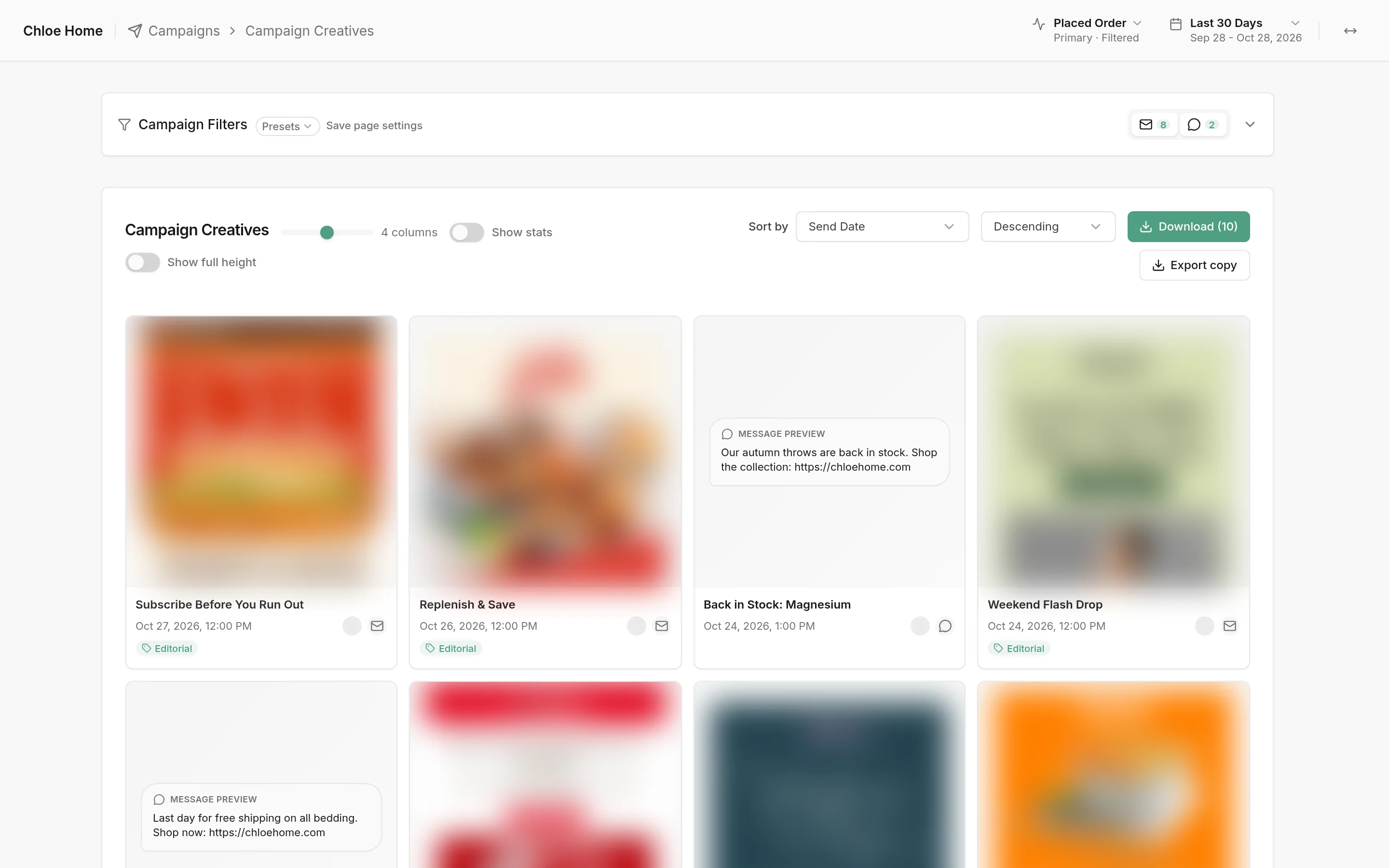
What you see
Campaign Filters: the bar at the top, with tabs for email and SMS campaigns and a count on each.
Campaign Creatives: one card per campaign in your date range, with its name, send date and channel. Email cards show the email; SMS cards show the message text.
AI labels: the green label on a card is the kind of campaign Hiro's AI read it as, such as Editorial, Holiday or Launch.
Click a card to open the campaign on the right, with its subject line, preview text, audiences and the full email.
How to change the gallery

Drag the slider to show 2 to 6 cards per row.
Show stats: add each campaign's numbers under its card. Choose the numbers in Card metrics, which appears when stats are on.
Show full height: show each email at its full length instead of the top of it.
Sort by: order the cards by Send Date or any metric, highest or lowest first.
Download: get a ZIP of the campaign images, plus the text of SMS messages.
Export copy: download the subject line, preview text, SMS text and email copy of every campaign shown.
How to find campaigns by theme or offer

Open Campaign Filters. Next to the filters you know from Campaign Deep Dive (minimum recipients, percentile, keywords and tags), Hiro AI Tags filter by what's in the campaigns:
Category: the kind of campaign, such as Editorial or Launch.
Offer: the offer in it, such as a discount.
Angle: how it sells, such as a product highlight.
Moment: the date or event it's built around, such as an awareness day.
Only campaigns with a discount: keep only campaigns with a discount in their text.
Hiro's AI reads each email's text, including the text in its images, to set these labels. It's usually right but not guaranteed, so a discount or theme can be missed or misread. Campaigns sent before October 2026 have no labels.
More about these creatives
The date range and conversion metric at the top of the page set which campaigns show and the revenue in their stats.
Group results by AI label on Campaign Tags, to see how each category, offer, angle or moment performed overall.